
Pending activity
Authorizations can change, expire, or post at another amount.
Start with the statement balance, then add later purchases, fees, and interest and subtract later payments, credits, and refunds. The expected result can be compared with the current balance shown by the issuer.
Use activity posted after the closing date. Do not re-enter purchases, payments, or credits already included in the statement balance.
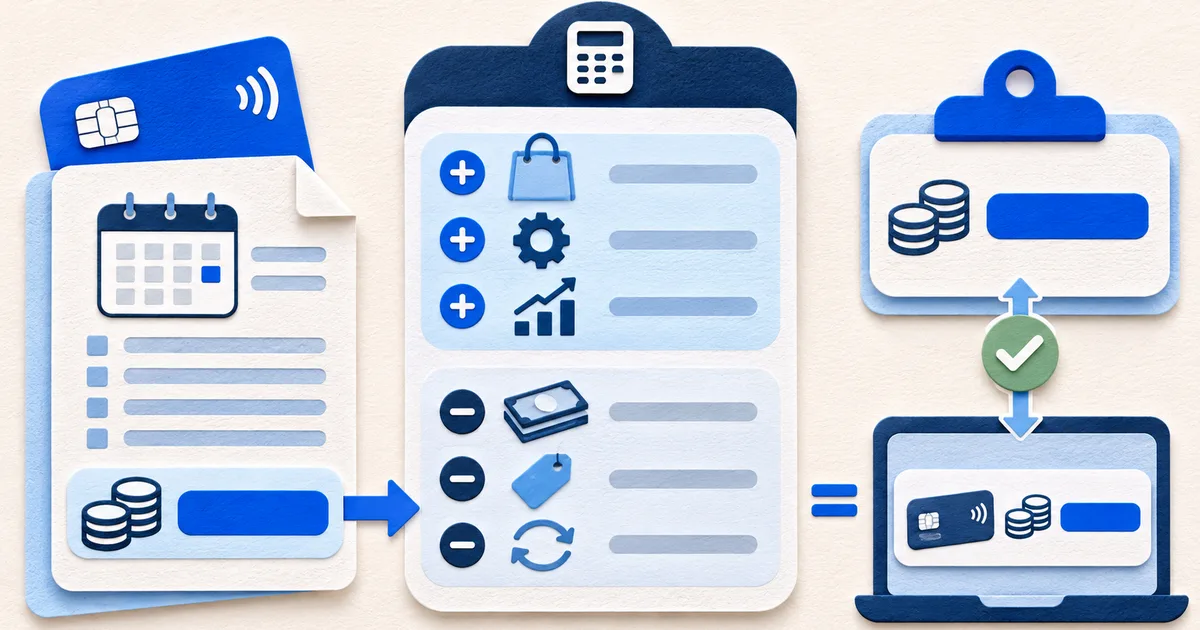
The reconciliation works only when each posted row moves the amount owed in the same direction used by the issuer. Do not rely on a plus or minus symbol without reading the transaction label.
A card statement can display payments and credits in a separate column, in parentheses, or with a sign convention that differs from a bank account export. Preserve the original display, then translate its effect once.
| Later activity | Effect on amount owed | Where to enter it |
|---|---|---|
| Posted purchase or cash advance | Usually increases the balance | Later purchases |
| Interest or issuer fee | Usually increases the balance | Later fees and interest |
| Payment received | Usually reduces the balance | Later payments |
| Merchant refund or statement credit | Usually reduces the balance | Later credits and refunds |
| Pending authorization | Not yet settled | Leave outside the reconciliation |
Expected current balance equals statement balance plus later purchases, fees, and interest, less later payments, credits, and refunds.
Confirm the statement closing date and time zone. A transaction date alone may not show whether the issuer included an item in that cycle.
Read the account activity after the cutoff and classify each posted entry by how it moves the amount owed.
A nonzero difference can point to an omitted entry, duplicate, sign error, pending item, or balance that refreshed at a different time.
A $900 statement balance plus $180 in new purchases, less a $300 payment and a $40 refund, produces an expected current balance of $740.
If the issuer shows $765, the unexplained difference is $25. Check for a posted fee, interest charge, purchase, or reversal worth $25 before deciding the account is wrong.
The arithmetic can locate a difference. It cannot decide whether a charge is valid or whether a pending transaction will settle at the displayed amount. Use the pending and posted transaction guide to classify uncertain activity first.
Authorizations can change, expire, or post at another amount.
The statement, activity list, and current balance may refresh on different schedules.
Temporary credits and later reversals need their own dates and status.